SignalYard is a lightweight logging tool that runs in Azure App Service and stores everything in Azure Table Storage. Ship logs from .NET with a Serilog sink, then search, chart, and investigate them — with a UI or with AI.
Install the sink: dotnet add package Serilog.Sinks.SignalYard
You run it, you own the data. No per-seat pricing, no ingestion quotas — just your storage account.
Query and search structured logs by application, level, and time range in a fast, dark-themed UI.
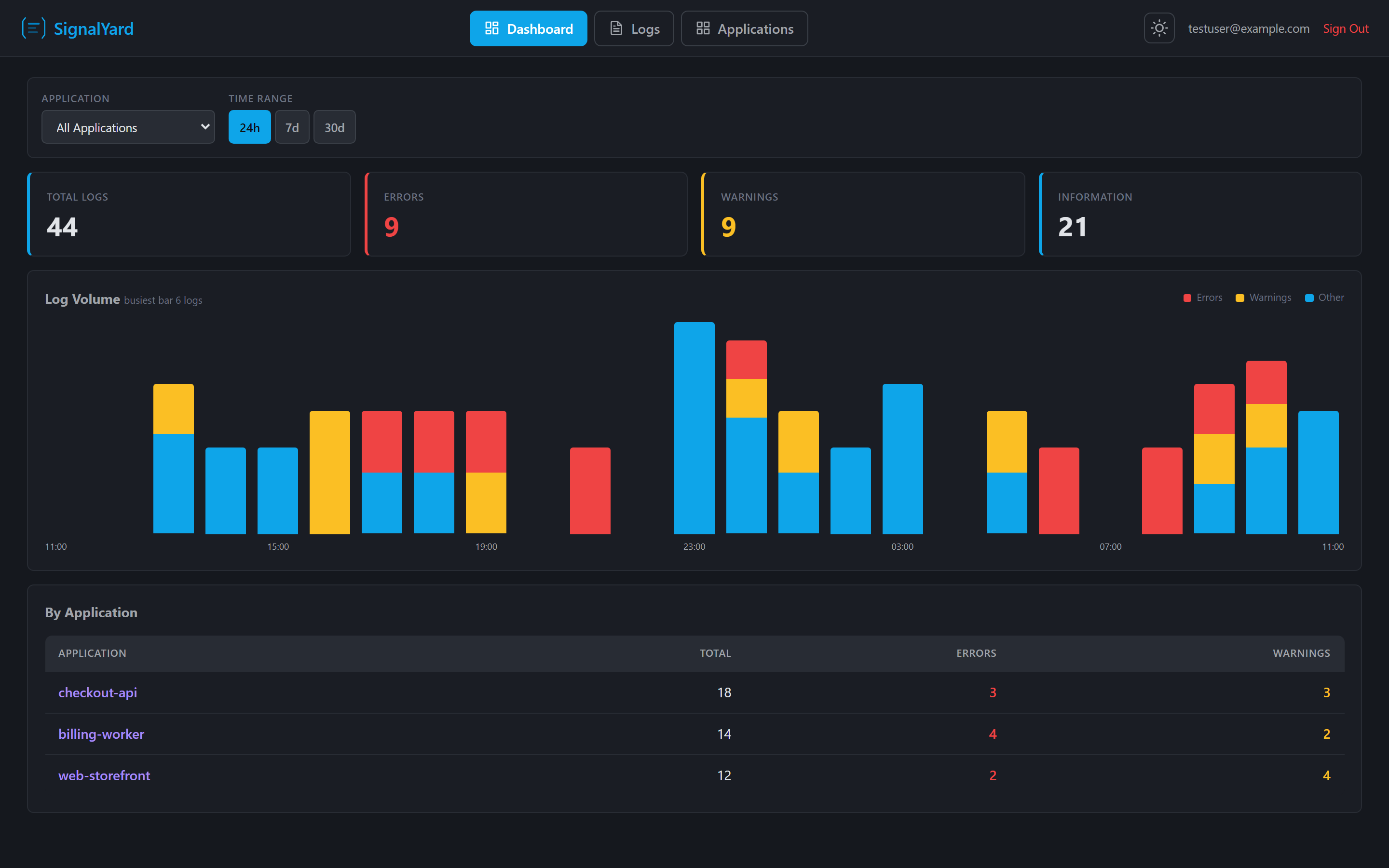
Log volume over time with error and warning counts, plus a breakdown across every application.
A built-in MCP server lets Claude Code, VS Code, and other AI tools query logs across all apps.
Create and manage applications, each with its own ingestion API key and retention policy.
Entra ID authentication for the UI, per-application API keys for ingestion, a separate key for AI.
Configurable retention automatically deletes old partitions. Azure Table Storage costs cents a month.
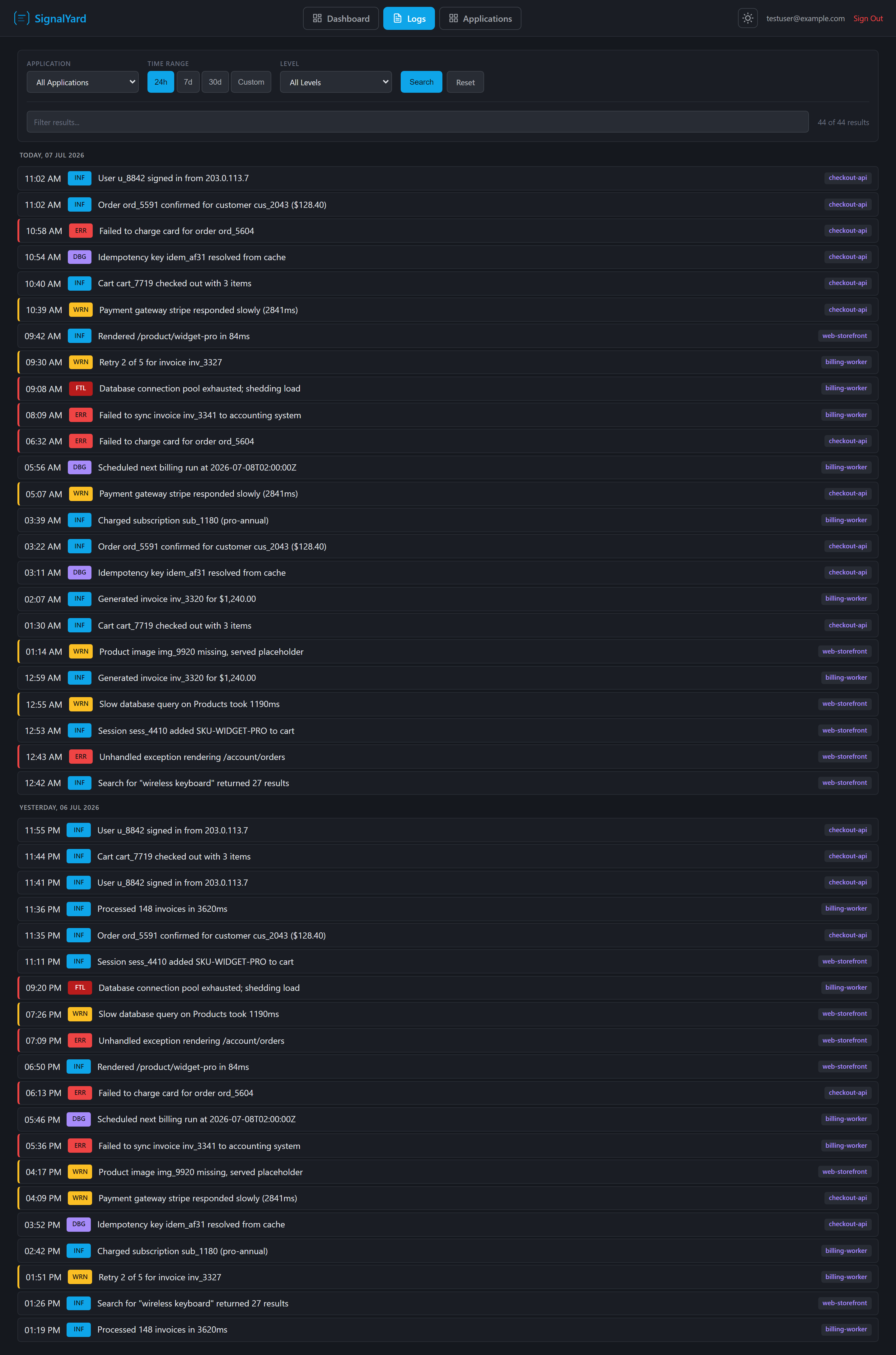
Pick an application, choose a time range, filter by level, and scan color-coded entries grouped by day. A live filter box refines the results instantly — error, warning, info, debug, and fatal levels are all preserved.
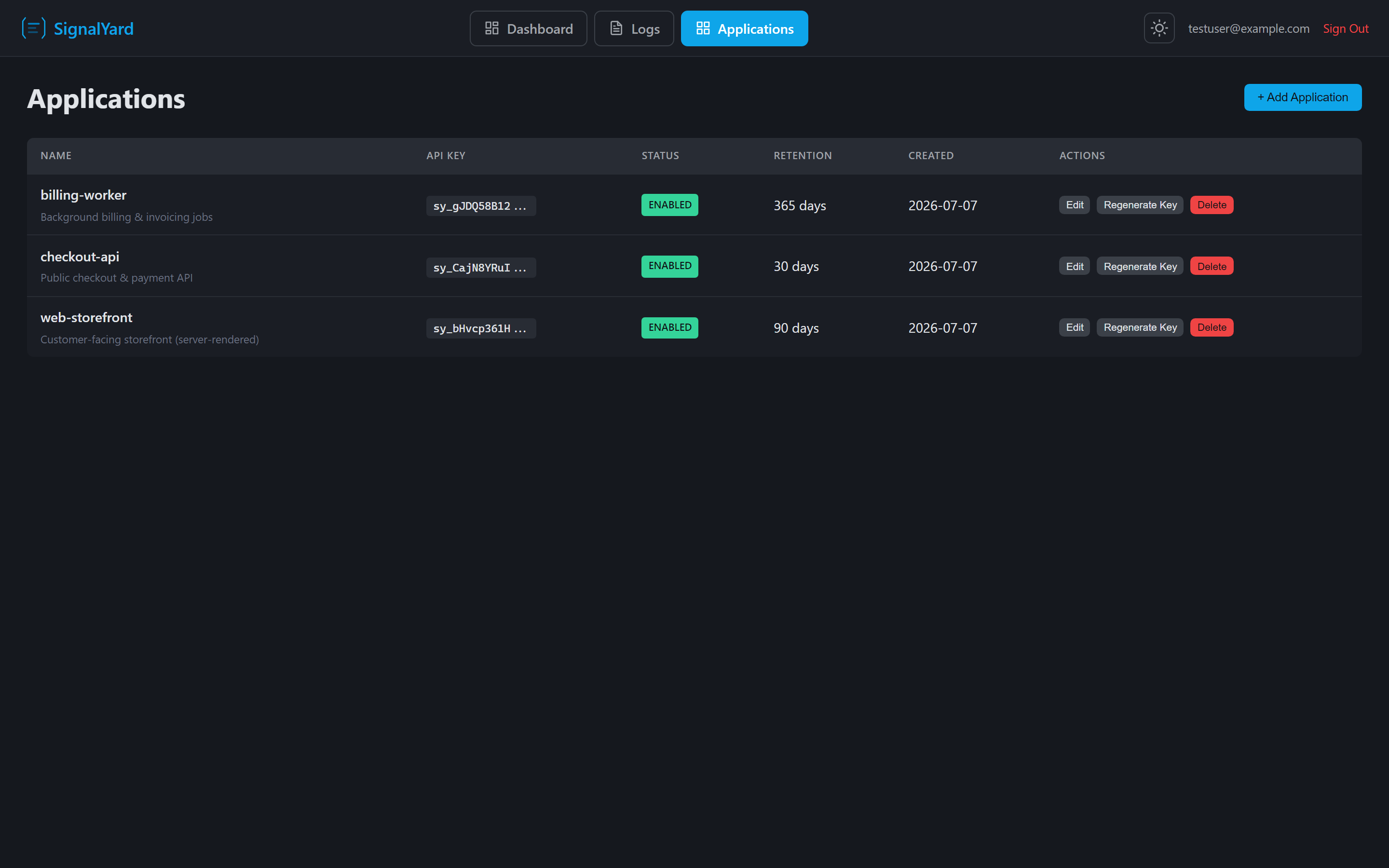
Register each service that ships logs, generate its sy_ ingestion key, set a retention window, and enable or disable it — all from a single management screen.
The official Serilog sink formats events as CLEF, batches them durably, and posts them to your SignalYard server over HTTP. Message templates, structured properties, levels, and exceptions are all preserved.
Serilog.Sinks.SignalYard NuGet package.using Serilog; Log.Logger = new LoggerConfiguration() .WriteTo.SignalYard( serverUrl: "https://your-signalyard.azurewebsites.net", apiKey: "sy_your_api_key_here") .CreateLogger(); Log.Information( "User {Username} logged in from {IpAddress}", "john.doe", "10.0.0.1"); // flush buffered events on shutdown Log.CloseAndFlush();
SignalYard exposes a read-only /mcp endpoint so Claude Code, VS Code, and other MCP clients can investigate logs across all your applications — gated by a single global investigator key, separate from your ingestion keys.
list_applicationsList every application and its settings.query_logsQuery entries for one or all apps over a time range.get_log_statsAggregate counts by level, over time, and per app.SignalYard is free and open source under the MIT license. Deploy it to Azure App Service, point your apps at it, and start reading logs today.
